Why "Print-Ready" Often Isn't
Almost every client sends their file labelled "print-ready." In practice, most files need at least one correction before they can safely go to plate. The good news is that the same handful of issues account for nearly every delay: bleed, colour mode, resolution, vector artwork, colour consistency across pages, page numbering, and file format. Fix these before sending, and your job moves straight to production with no back-and-forth.
Bleed: Give the Trim Room to Move
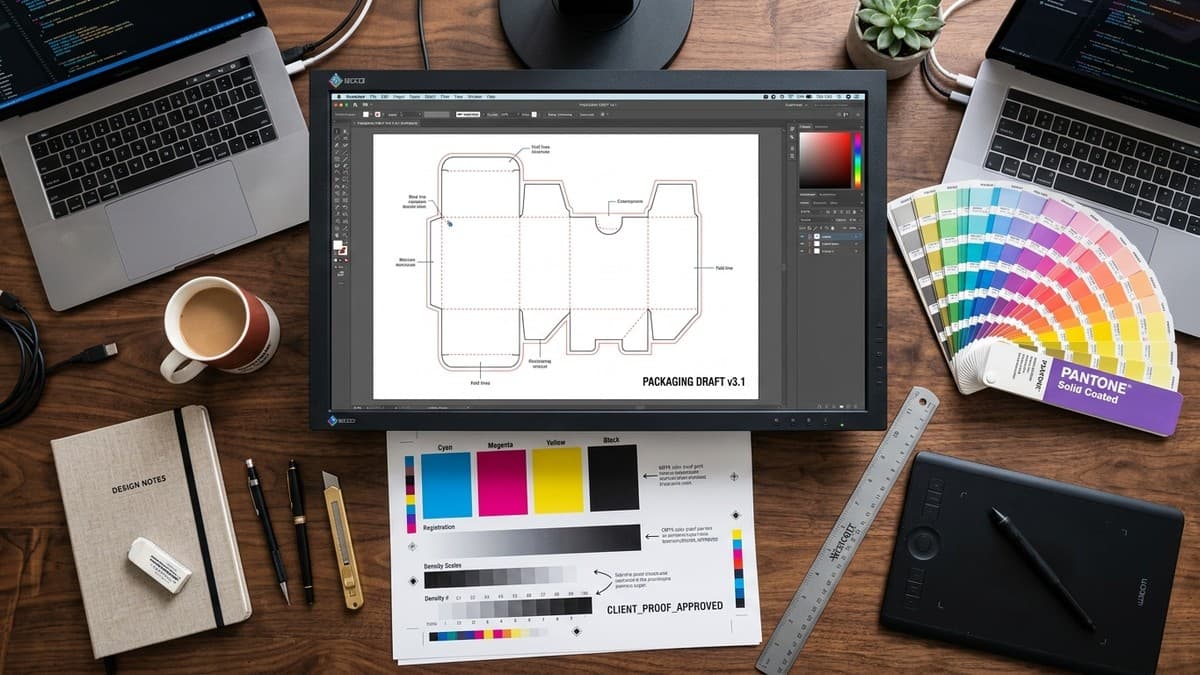
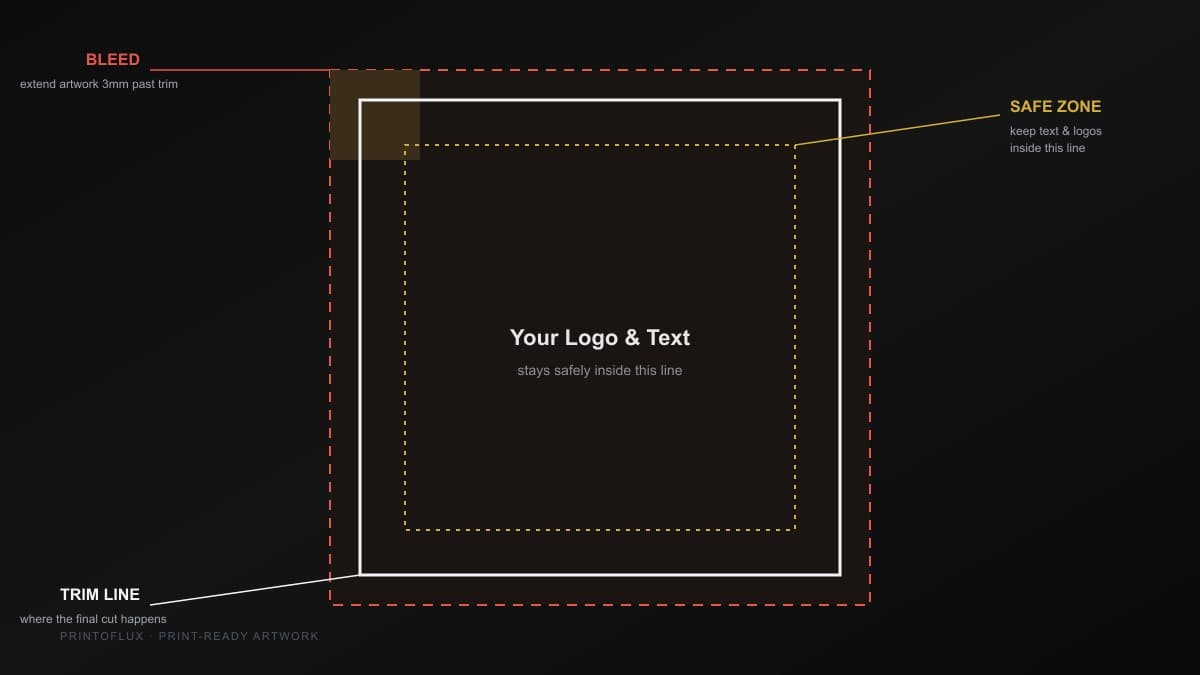
Bleed is the extra artwork, usually 3mm on each edge, extended past where the page will actually be cut. Cutting a stack of sheets is precise, but not perfect to the millimetre; without bleed, a fraction-of-a-millimetre shift in the cutter leaves a thin white sliver at the edge instead of a clean, full-bleed colour edge. If your design has any colour or image touching the edge of the page, it needs bleed, no exceptions.
CMYK, Not RGB
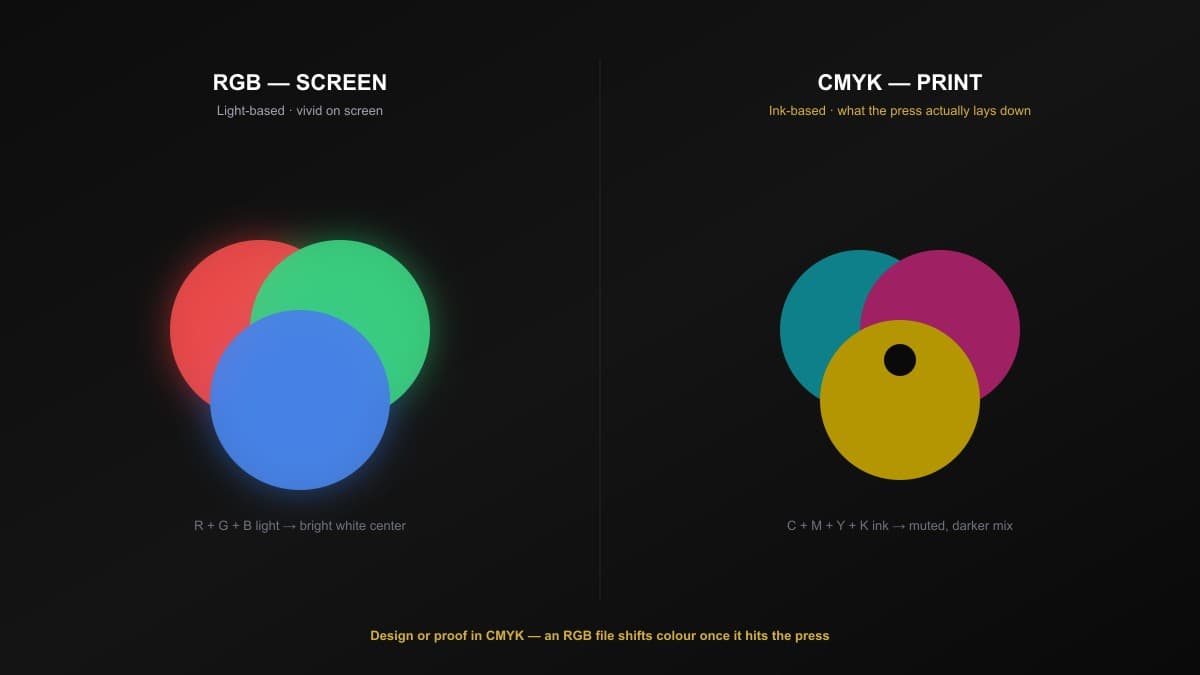
Screens display colour as light (RGB); printing presses lay down ink (CMYK). The two use completely different colour models, and a file designed in RGB will shift, sometimes dramatically, when converted for print, especially in bright blues, greens, and oranges. Always design, or at minimum convert and proof, in CMYK before sending a file to print, so what you approve on screen is close to what comes off the press.
Resolution: 300 DPI at Offset Press Grade
An image that looks crisp on a laptop screen at 72 DPI can look visibly soft or pixelated once printed at full size, because print resolves far more detail per inch than a screen does. The standard for offset-grade print is 300 DPI at final output size — not "looks sharp enough on my monitor." Check this before final size, not after, since scaling an image up afterward doesn't add back detail that was never there. Images pulled from a website, a WhatsApp forward, or a phone screenshot are almost always below this threshold.
Vector Artwork for Logos and Line Art
Photos are raster (pixel-based) and that's fine — but logos, icons, and line art should never be. A logo saved as a low-resolution PNG or JPEG will look sharp at the size it was created, then turn blocky and jagged the moment it's enlarged for a banner, a box panel, or a large-format print. Vector formats (AI, EPS, or a vector-embedded PDF) scale to any size with perfectly clean edges, because they're built from mathematical paths rather than a fixed grid of pixels.
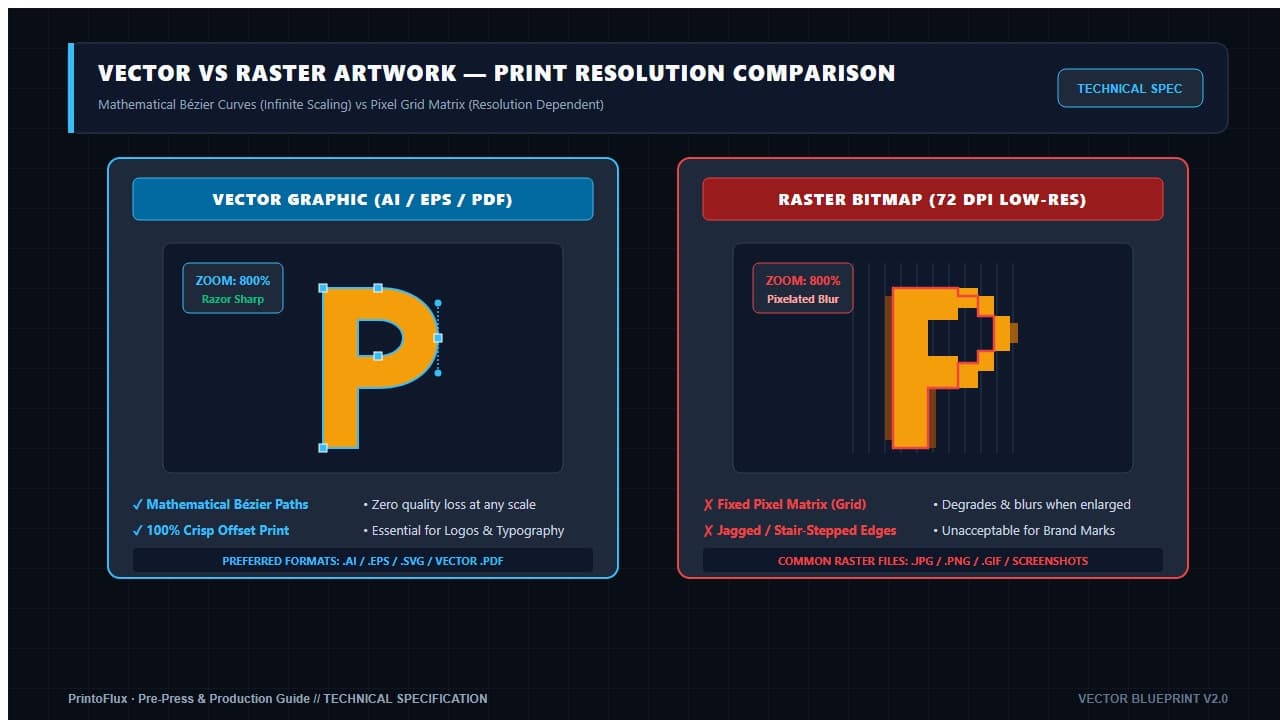
If your logo only exists as a small image pulled from a website or an old letterhead, ask your designer for the original vector file before submitting artwork — re-drawing it after the fact costs time your job doesn't need to lose.
Colour Consistency Across Every Page
On a single-page flyer, colour mistakes are easy to catch. On a multi-page booklet, catalogue, or packaging set, the same colour needs to be built the exact same way on every page — the same CMYK values, the same black (a flat 100K text black is not the same ink mix as a rich, four-colour black used for large dark backgrounds), and the same brand colour, spread to spread. Files assembled by copy-pasting elements from different sources, or built by more than one designer, often end up with the "same" colour actually being three or four slightly different CMYK builds hiding across the document — invisible on screen, but very visible once printed side by side.
Before sending a multi-page file, check that swatches, brand colours, and blacks are unified into one style/swatch library used consistently throughout, not re-picked page by page.
Page Numbers: One Position, One Size, Every Page
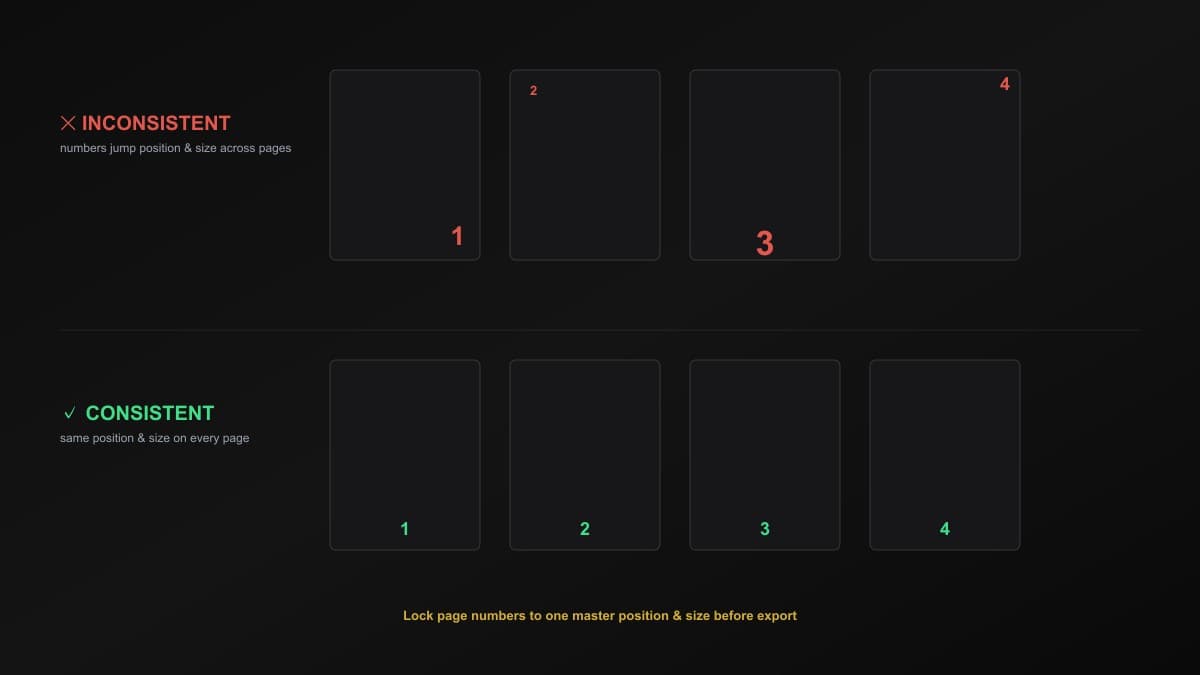
A small detail that causes outsized frustration during proofing: page numbers that shift position, font size, or style from page to page. It happens easily when a document is assembled from sections built at different times, or when a template gets copy-pasted and nudged instead of using a proper master page. The fix is simple — lock the page number to one master position and one size, applied identically across every page, before export.
Fonts and Outlines
If a font isn't embedded or converted to outlines before the file is sent, it can silently substitute to a different font on another machine — a fast way to have your carefully chosen typography quietly replaced.
File Format and Size: Not Too Heavy, Not Too Light
The safest format to send is a high-resolution, print-ready PDF (ideally PDF/X-1a or PDF/X-4) with fonts embedded and transparency flattened — it travels between machines without the layout, colours, or fonts shifting. Two opposite mistakes show up just as often as wrong colour or missing bleed:
- Over-compressed files — images crushed down to save space end up visibly blocky or smeared once printed, especially in gradients and skin tones.
- Unnecessarily bloated files — unflattened layers, unused linked assets, or embedded images far larger than the artwork ever displays them, producing a multi-gigabyte file that's slow to transfer and slower to process, without adding any real print quality.
Export at the resolution the job actually needs — full offset-grade quality, without carrying dead weight the printer never uses.
The Print-Ready Checklist
Before sending your next file to print, confirm:
- Bleed — 3mm extended past the trim line on every edge that touches the page boundary
- Colour mode — CMYK, not RGB
- Resolution — 300 DPI at final output size for every image
- Logos & line art — vector format (AI / EPS / vector PDF), not a low-res raster image
- Colour consistency — the same CMYK build for the same colour and black on every page
- Page numbers — identical position and size across every page
- Fonts — embedded or outlined
- File format — high-resolution, print-ready PDF (PDF/X-1a or PDF/X-4 where possible), not over-compressed and not carrying unnecessary bulk
Most of this is a five-minute check before export, not a redesign. Our Artwork Guide walks through exact export settings for the software you're likely using, and our pre-press team checks every incoming file before it goes to plate — but catching these issues on your end means fewer rounds of back-and-forth and a faster turnaround overall.